Overview #
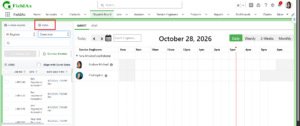
Dispatch Board views now show every job that matches the view’s criteria, instead of only the jobs inside the Gantt’s selected date range. Previously, selecting any view restricted the results to that date range.
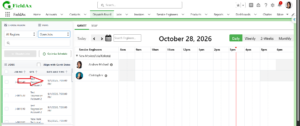
Users who still need the earlier behavior can enable the Align with Gantt option. The change applies to all configured Dispatch Board views.
View-Based Job Display #
The Dispatch Board supports multiple views, each built on its own job conditions. When a user selects a view:
- It displays all jobs that meet that view’s criteria.
- Jobs are not restricted to the selected Gantt date range by default.
- Previously created jobs appear even when their dates fall outside the current Gantt period.
Example. The Gantt is showing September 21 to September 27. Before this change, a selected view showed only jobs inside that week. Now it can also show applicable jobs from earlier dates or other dates outside that range. Which jobs appear still depends on the criteria configured for the view.
Align with Gantt #
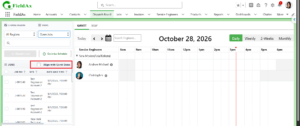
The Align with Gantt checkbox restores the previous date-range behavior. When it is enabled, the selected view follows the date range currently displayed in the Gantt. It applies to all Dispatch Board views.
| Align with Gantt | Behavior |
|---|---|
| Unchecked | Displays all applicable jobs for the selected view, with no Gantt date-range restriction. |
| Checked | Restricts the displayed jobs to the selected Gantt date range (previous behavior). |
How to Use #
View all applicable jobs #
- Open the Dispatch Board.
- Select the view.
- Keep Align with Gantt
The view displays all applicable jobs without the Gantt date-range restriction.
Use the previous date-range behavior #
- Open the Dispatch Board.
- Select the required view.
- Select the required date range in the Gantt.
- Enable Align with Gantt.
The view displays jobs according to the selected Gantt date range.
Worked Example #
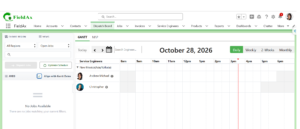
The Dispatch Board holds jobs dated September 10, 15, 20, 24 and 28. The Gantt is displaying September 21 to September 27.
| Align with Gantt | Jobs the view can display |
|---|---|
| Unchecked | All applicable jobs, including those before September 21 or after September 27, depending on the view’s criteria. |
| Checked | Only applicable jobs inside September 21 to September 27 (in this example, the September 24 job). |
Important Note #
|
Align with Gantt does not change the criteria of the selected view. It only decides whether the results ignore the Gantt date range and show all applicable jobs, or follow the Gantt date range and show jobs within the selected period. This applies to every configured Dispatch Board view. |
Summary #
The Dispatch Board now offers two ways to view jobs, so dispatchers can review the full workload or focus on one scheduling period.
- Without Align with Gantt: shows all applicable jobs for the selected view, regardless of the Gantt date range.
- With Align with Gantt: shows applicable jobs only within the selected Gantt date range, matching the previous behavior.


